


Introducing the myFirst Frame Live, a groundbreaking digital frame with a 16:10 aspect ratio that expertly frames every cherished moment, enhancing your viewing experience. The Frame Live seamlessly integrates with our myFirst Circle app, allowing you to easily share photos or videos with your loved ones for displaying on its anti-glare matte screen.

myFirst Frame Live
Sale price
$119.00 SGD
Regular price $149.00 SGD
Skip to product information


myFirst Frame Live
Sale price
$119.00 SGD
Regular price $149.00 SGD
Frequently Purchased Together
Product Specifications
- Dimension: 252.3*173.6*22mm
- RAM: 1GB
- Internal Storage: 32GB
- External Storage: TF card, up to 32GB
- Display Resolution: 1280x800px (10.1-inch)
- Display Panel: AG (anti-glare)/Touch Panel/IPS
- Wi-Fi: 2.4GHz
- USB 2.0: Type-C
- Picture Format: JPEG / BMP / GIF / PNG
- Music Format: MP3 / WMA / OGG / AAC / APE / FLAC / WAV
- Video Format: MPEG1, MPEG2, MPEG4, Xvid, AVI, M-JPEG, H.263, H.264 BP/MP/HP, VP8, WMV9/VC-1
What's in the Box
- myFirst Frame Live
- Flexible Prop
- Universal Power Plugs
Warranty
This product is covered by 12 months manufacturer's warranty. Terms & conditions apply.
Shipping
We will work quickly to ship your order as soon as possible. Once your order has shipped, you will receive an email with further information. Delivery times vary depending on your location.
Important Safety & Product Information
⚠️ WARNING
Failure to read and follow these safety instructions could result in fire, electric shock, serious injury, death, or damage to the device or other property.
Parent or Legal Guardian Responsibility
- Adult Setup Required: This device must be set up, configured, connected to Wi-Fi, and synchronized with the myFirst Circle app by a parent or legal guardian before allowing children to interact with it.
- Supervision & Safety: It is the sole responsibility of the parent or legal guardian to read and understand this document, educate family members on proper usage, and ensure the digital frame is used in a safe, appropriate, and lawful manner.
Choking & Strangulation Hazard
- Small Parts: This product contains small components (including the external TF/SD memory card and flexible prop stand parts) that pose a choking hazard.
- Age Restriction: This device and its power accessories are strictly not for children under 3 years old.
- Power Cord Safety: Ensure the power cables and universal plug adapters are kept safely out of reach of infants and toddlers to avoid strangulation or tripping hazards.
Health & Medical Disclaimer
- Recreational & Informational Use Only: The device, its cloud software, connected apps, and any related communication features (like voice recordings or shoutouts) are intended exclusively for recreational and informational purposes. They are not medical or life-saving tools.
- Bedside Companion Lighting: While the frame features lighting modes designed to assist with natural awakening and sleep, these metrics and cycles are algorithm-based estimations and are not precision-grade medical or sleep therapy tools.
Power Supply & Electrical Safety
- Approved Adapters Only: Only use the power cables, Type-C USB components, and universal plug adapters supplied or officially approved by myFirst. Using unapproved third-party power accessories poses a severe risk of short-circuiting, overheating, electric shock, and fire.
- Thermal Escalation: If the device frame, power brick, or connecting cable continually heats up or feels unusually hot to the touch, disconnect it from the electrical wall outlet immediately and contact customer service promptly.
- Damage to Cord: Never use a frayed, bent, or damaged power cord, as this increases the risk of electrical short-circuits.
Ambient Operating, Placement, & Storage Conditions
- Stable Placement: Place the frame on a flat, stable surface using the provided flexible prop, or mount it securely to prevent it from falling. Impact from drops can damage the 10.1-inch anti-glare touch glass panel.
- Extreme Heat Exposure: Do not place the device near intense heat sources, open flames, radiators, or in high-temperature locations such as inside an unattended vehicle parked in direct sunlight.
- Ventilation: Do not cover the device or block its smart motion sensor and speakers with towels, clothing, or blankets while it is powered on, as this can cause internal heat buildup.
⚠️ CAUTION
Failure to observe these cautions could result in minor or moderate personal injury, minor electric shock, or property damage.
Screen Care & Glass Handling
- Touch Screen Safety: The frame utilizes an AG (anti-glare) touch panel glass. Do not press down excessively hard on the display or use sharp, pointed objects on the screen.
- Cleaning Care: To clean the fingerprint-resistant matte screen, turn off the device, unplug it from the wall, and use a dry, soft microfiber cloth. Do not spray liquid cleaners or harsh chemicals directly onto the glass panel or frame body.
💡 NOTICE
Failure to observe these notices could result in property damage, data loss, or permanently compromise the functionality and longevity of the device.
Water & Moisture Limitations
- Indoor Use Only: This device is engineered for dry, indoor environments only. It is not water-resistant and does not feature ingress protection against submersions.
- Prohibited Exposures: Keep the device completely away from water splashes, heavy moisture, high humidity (such as unventilated bathrooms), rain, or liquids of any kind.
Artificial Intelligence & Connected Data Usage Notice
- Scope of Functionality: The artificial intelligence and automated features integrated into the myFirst ecosystem and myFirst Circle app are designated exclusively for assisting with content curation, safe zone updates, and automated media sorting.
- Limitations: The digital frame does not possess automated independent monitoring, real-time danger detection, or physical safety-filtering of the household environment. Guardians must not rely on the myFirst Circle ecosystem as a substitute for active child safety or parental supervision.
Proper Disposal & Compliance
- Environmental Regulations: Do not dispose of this electronic device or its universal plugs in standard household waste. Contact your local waste disposal department or electronic recycling facility to dispose of the digital hardware in accordance with applicable local laws and environmental regulations.
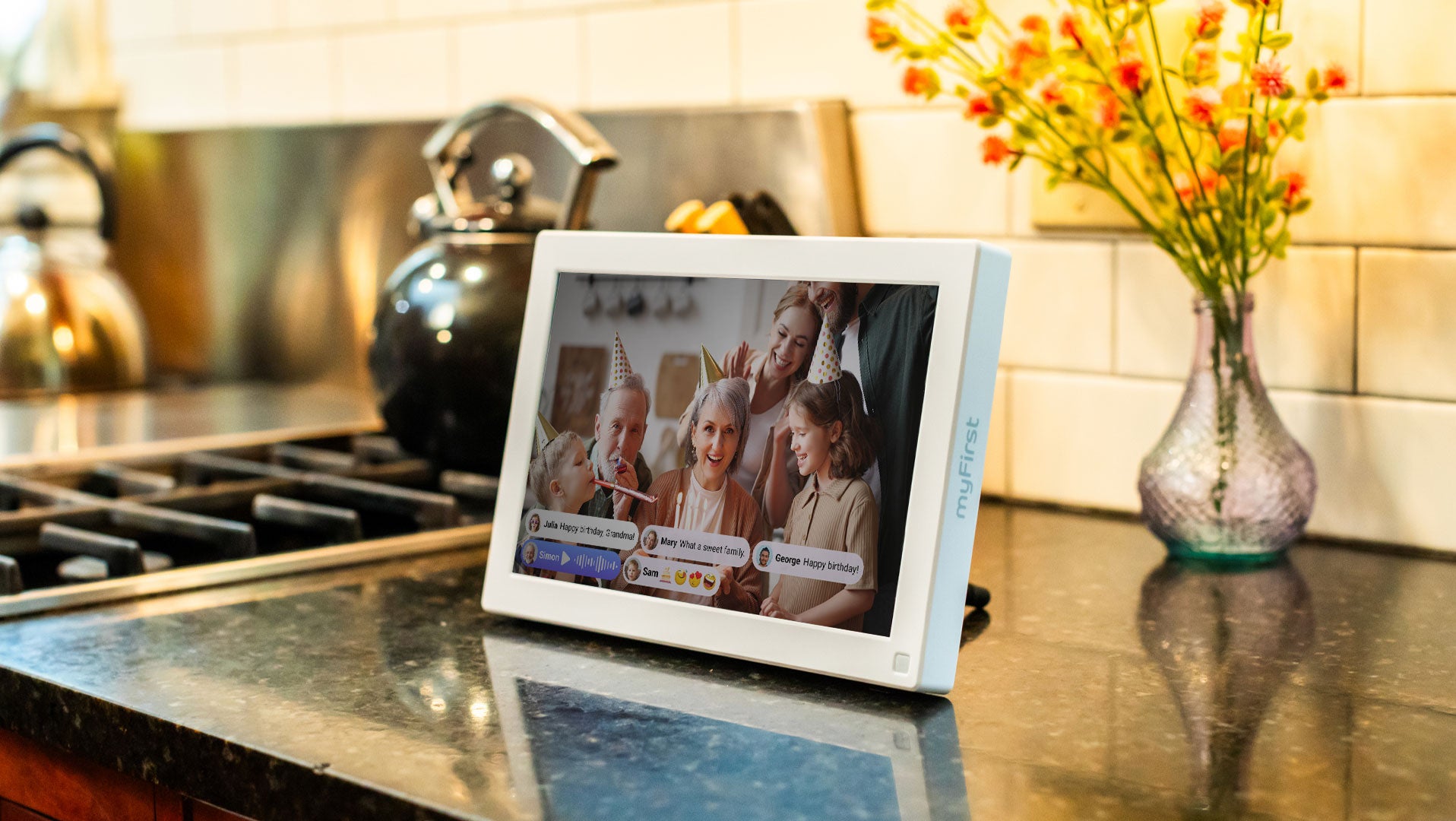
Designed to Bring Loved Ones Closer Together
Features to Love

Smart Motion Sensor

Anti Glare Matte Screen

Data in the Cloud

Photos & Videos Display

Auto Rotate Screen

Universal Plug Adapter

Intelligent Power Saving through Motion Detection
Our eco-friendly power-saving design automatically turns off the device when you exit the room, and it eagerly awaits your return, displaying new moments as you approach.

Anti-glare Matte Screen for Immersive Viewing
Anti-glare glass which reduces reflections and enhances the clarity of photos and videos. Also! It's fingerprint-resistant, ensuring your screen remains clean and clear throughout the day.

Experience Natural Awakening and Restful Sleep
A bedside companion that
helps you wake up naturally and sleep soundly.

Finding Your Perfect Angle with a Simple Flip
Enjoy perfect image orientation with the myFirst Frame’s auto-rotate feature, adapting to your frame’s position, whether vertical or horizontal, for an ideal viewing experience.

Give a 'Shoutout' to Your Loved One
Bridge the miles and connect with your dear ones through the myFirst Circle app. Share messages and heartfelt voice recordings through this innovative frame, fostering bonds and spreading warmth, no matter the distance.
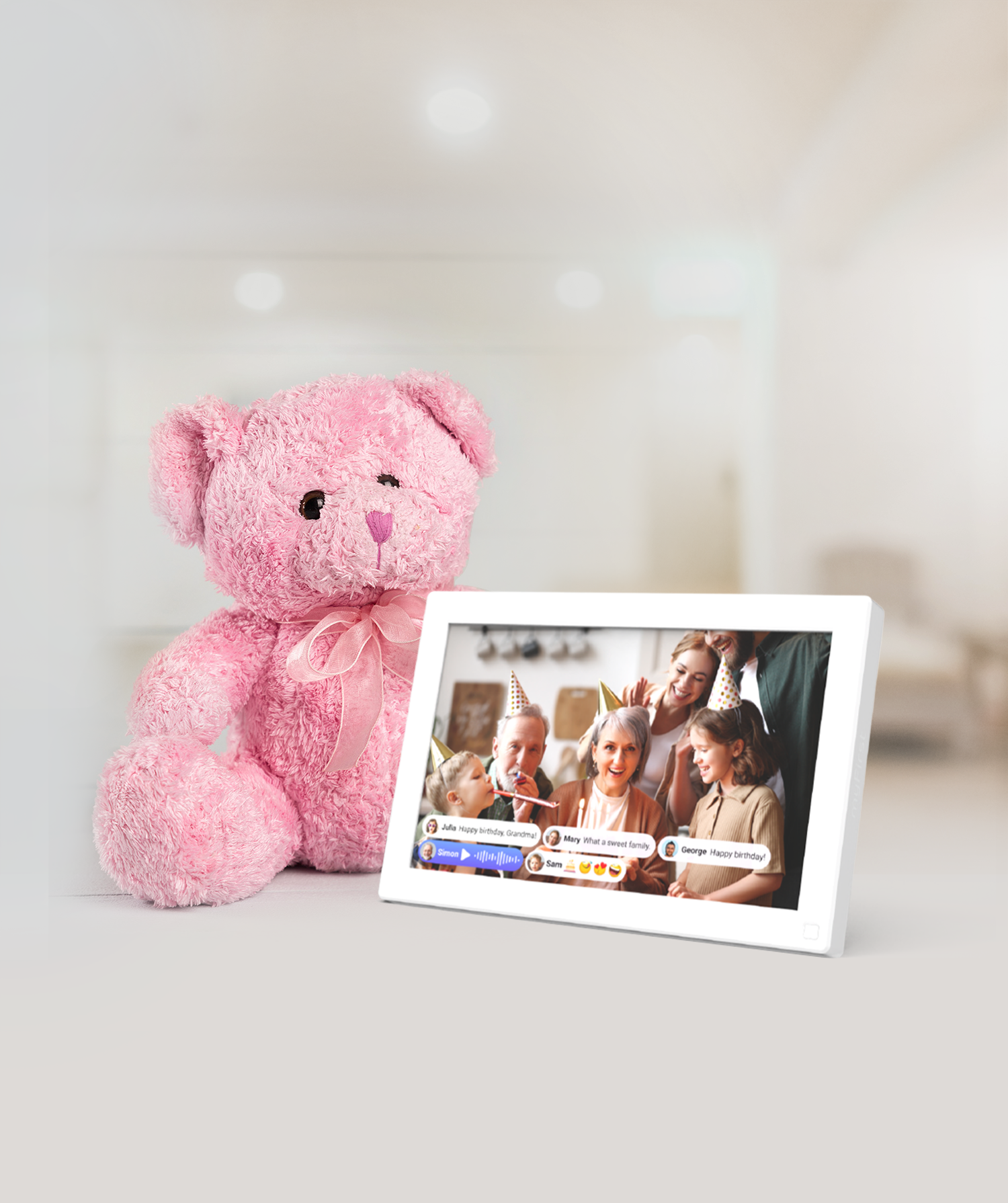
Crafted to foster stronger connections among loved ones, the Frame seamlessly synchronizes with other myFirst devices, showcasing a stream of content shared by family and friends.
How Does it Work?
① Download & Connect
Install the myFirst Circle app on your smartphone or tablet to create your secure, dedicated family network.
② Pair Your Devices
Link the Frame Live to your account to enable seamless integration.
③ Add Family Members
Invite loved ones to the Circle app so they can view shared photos and videos from anywhere in the world.
④ Sync myFirst's Devices
Connect the myFirst Camera 50 for instant photo sharing and the myFirst Fone for safe, high-definition video calls directly to the frame.
⑤ Manage Remotely
Use the app to customize settings and manage the Frame Live remotely, ensuring your family's world stays safe and secure.
⑥ Enjoy & Share
Start "throwing" photos to the frame and making one-tap video calls to keep the family bond stronger than ever.

A Connected Ecosystem for Families
Experience the joy of a connected family with the added peace of mind that comes with enhanced security.
- Parental Control: Approve contacts, track location, and monitor online activity.
- Instant Sharing: Share photos, voice notes, and videos with loved ones across myFirst devices.


See what myFirst families are saying
Frequently asked questions
What makes the myFirst Frame Live different from standard digital photo frames?
The Frame Live is designed specifically to connect families safely. It integrates with the myFirst Circle app ecosystem, allowing kids and approved family members to share photos, videos, and even voice notes directly to the frame from anywhere in the world.
How do I send photos and videos to the frame?
Family members can easily share media using the free myFirst Circle mobile app. Once a smartphone is linked to the frame via a unique connection code, photos and videos can be instantly broadcasted to the display.
Do I need the internet for the Frame Live to work?
Yes. The Frame Live connects via Wi-Fi to sync with the myFirst Circle app and receive real-time photos, videos, and messages.
Can anyone send photos to the Frame Live?
No. The system is a closed ecosystem where only authorized contact can send photos directly to the frame. You have full control through the myFirst Circle app, which allows you to manage the Frame Live remotely and stay connected with your family from anywhere in the world.
Is the frame's display a touchscreen?
Yes, it features an interactive touchscreen panel. This makes it incredibly easy for grandparents or younger children to tap through photos, play video clips, or adjust settings directly on the device.
Who can see the photos and videos shared by my child?
Only approved family members using the myFirst Circle app on their phones or tablets can view the latest photos and videos shared by your child. This allows the family to stay updated and share moments privately from anywhere in the world.


